
Case Study: AVA Quad Camera IR Sensor Configuration
UX Design for Security Technology
Key Services Delivered
- User Experience Strategy – Interface redesign and user journey optimization
- Technical Constraint Analysis – Understanding hardware limitations and design implications
- User Research & Persona Development – Cross-referencing existing personas and pain points
- Interaction Design – Creating intuitive configuration interfaces for complex sensor systems
- Information Architecture – Developing logical hierarchies and simplified navigation
- Prototyping & Wireframing – Low and high-fidelity design iterations
- Stakeholder Collaboration – Working with engineers, product managers, and development teams
- Usability Testing & Optimization – Post-launch feedback analysis and continuous improvement
Project Overview
Challenge
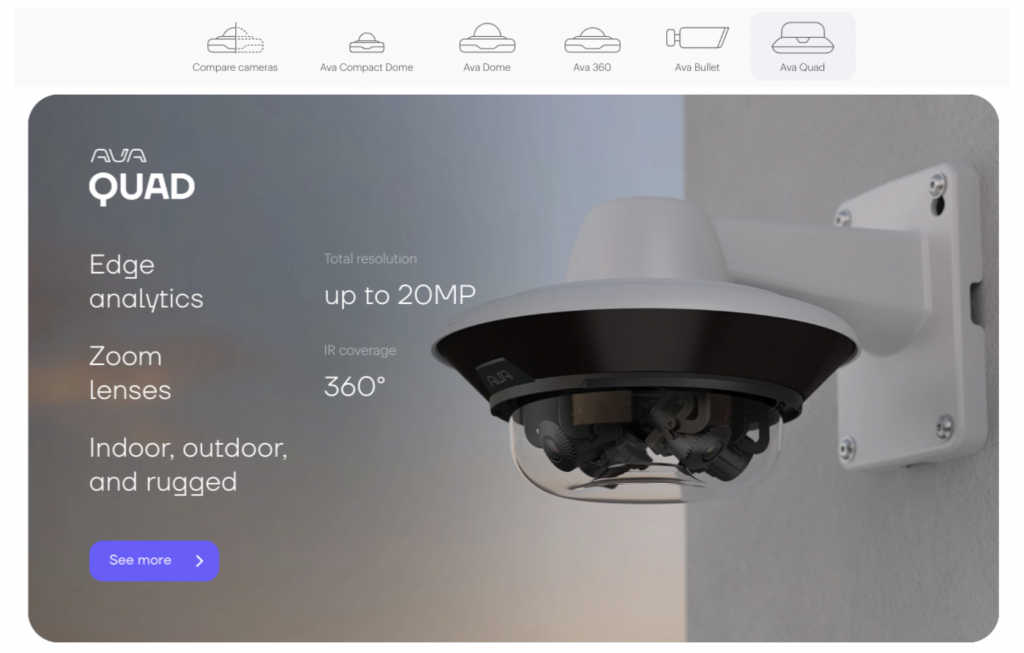
The AVA Quad video camera was approaching its launch date with a critical technical challenge. Engineers had integrated infrared (IR) sensors into the camera system, but the 4 camera lenses operated independently from the 8 IR sensors positioned around the camera’s perimeter. Due to light reflection limitations in the available technology, automatic sensor-to-lens configuration was impossible – each sensor required individual manual configuration.
Objective
Design an intuitive user interface that enables security professionals to manually configure IR sensors for each camera lens while maintaining simplicity and reducing user errors. The solution needed to accommodate both individual sensor control and bulk configuration options, with appropriate permission levels for different user types.

Design Solution
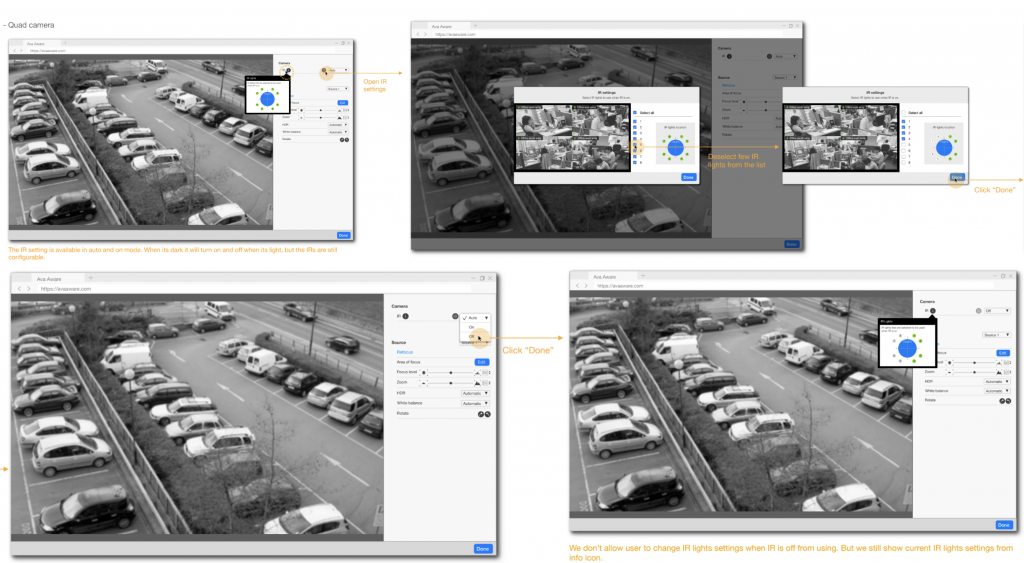
Our solution centered on a streamlined side panel interface with the following key components:
Configuration Dialog System
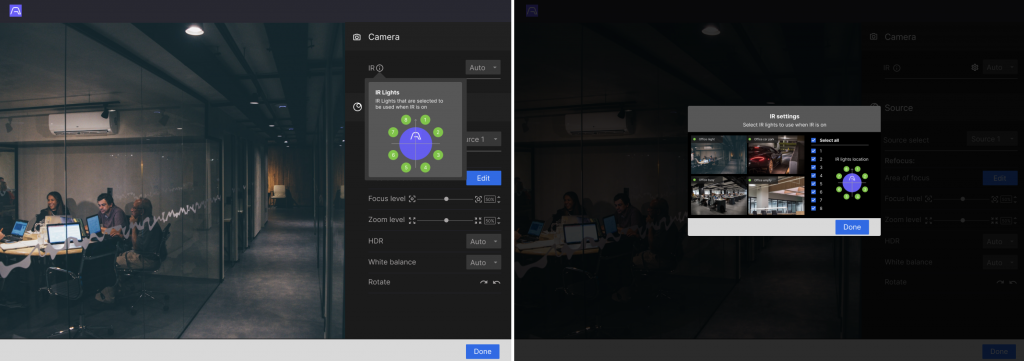
Users could access sensor configuration through a cog icon, triggering a dialog box showing 4 camera lenses on the left and 8 IR sensors on the right with check/uncheck functionality and real-time visual feedback.
Permission Management
Administrative controls allowing restriction of sensor access for specific user roles while maintaining visibility through information icons.
Bulk Configuration
Auto-setting capability for configuring all cameras simultaneously within general settings.
Real-time Feedback
Visual aid indicating which sensors were active with immediate impact visualization on camera lenses.
Key Results
Quantifiable Improvements
Error Reduction
Streamlined interface with clear input fields reduced user errors by 25%
User Satisfaction
Improved from 3.4/5 through simplified, user-focused design approach
Faster Tasks
Task completion time improved from 4 minutes to 3 minutes 12 seconds
Business Impact
- Successful Product Launch: Camera launched mid-2022 with positive market response
- Technical Innovation: Successfully solved complex hardware limitation through thoughtful UX design
- User Adoption: Simplified interface encouraged continued engagement with advanced camera features
- Competitive Advantage: Superior user experience compared to industry standard competitors
Methodology and Approach
Our success stemmed from a user-centered design approach that balanced technical constraints with user needs:
Constraint-Driven Design
Worked within hardware limitations to create innovative solutions
Stakeholder Integration
Maintained constant communication with engineering and product teams
Iterative Refinement
Continuous testing and feedback incorporation throughout development
Performance Optimization
Post-launch monitoring and continuous improvement processes